
Decide what you expect a backup to preserve
List the parts of an entry that matter: the original photo, a video, a caption, the date of the memory, a voice recording or who wrote the note. A downloaded image without its caption may preserve only part of the story.
Choose a varied sample: one photograph with words, one video, a dated text entry and any other media type you use. Include an older entry as well as a recent one. This helps reveal whether the export covers the whole history or just what is currently on screen.
Do not assume that a visible thumbnail proves the original file is included. Open the media itself and check that it is usable.
Open the export outside the app
| Item | A useful check |
|---|---|
| Photo | Opens at a usable size, not just as a thumbnail |
| Video or audio | Plays through with the expected sound |
| Date | Refers to the memory, not only the export day |
| Caption or note | Words are present and associated with the right media |
| Multiple children | You can tell whose entry it is |
| Archive | Extracts successfully and includes any described manifest or index |
An app-specific backup may be designed for restoring into the same app. A readable export may be designed for browsing elsewhere. They serve different purposes; check which one you have and whether you need both.
If you test a restore, use the provider’s documented process and avoid overwriting the only copy of your current journal.
What Cocoon’s current export formats actually keep
These detailed format checks are Cocoon’s own product notes; the linked public guides explain the export workflows.
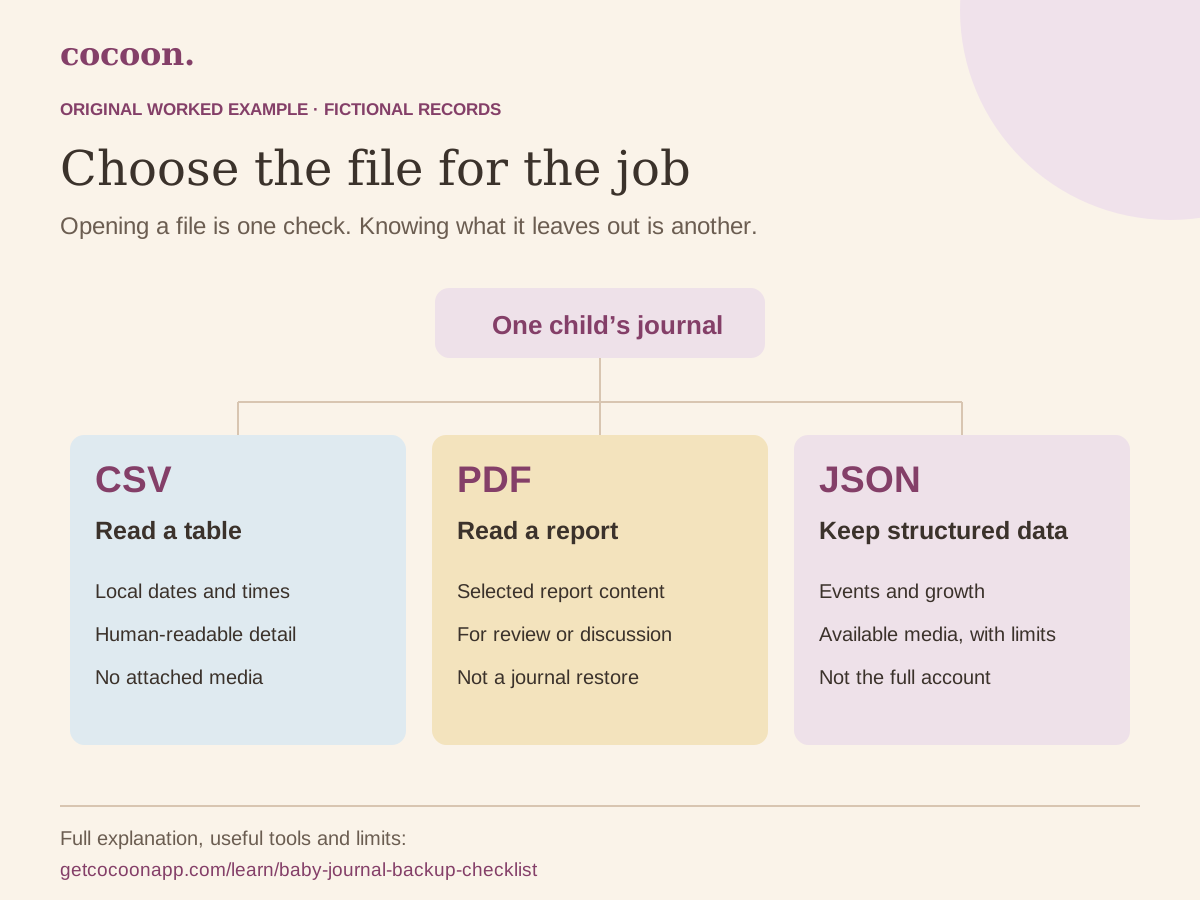
A CSV has Date, Time, Type and Detail columns. It is a readable account of selected records, using local date and time labels. It does not include a time-zone column, attached media or all the structured fields needed for a faithful restore. Do not feed it back through the generic importer and assume it recreates your journal. Product guide: CSV summaries.
A PDF report is for reading and discussion. It presents report information and logged events, rather than packaging original media or functioning as a journal backup. Product guide: PDF reports.
A Cocoon JSON backup contains a child’s logged events, growth records and available photo/video attachments within export limits. It is not a full account backup: milk inventory, sleep programs and preferences are outside its scope. The current media limits are 25 MiB per file and 150 MiB in total; unavailable or oversized media can be left out, and the export reports those omissions. Check the warning and keep affected originals separately. Product guide: backups and media limits.
The fictional JSON sample has one written memory and no media. It shows the structure without pretending to test a photo restore. Real backups contain family information. Keep them private and check the intended child before any restore.
Treat the exported copy as family information
A backup can include names, dates, locations in notes or media, and more than the particular photo you wanted to share. Review the contents before giving a copy to someone else. For a single memory, a selected file and caption may be more appropriate than the full archive.
Store the backup where you can find it and where access is intentional. An export in a shared downloads folder can be seen by people who do not have access to the journal app. Deleting a copy from one device does not remove copies you have already shared.
Write down the export date and source app next to the archive. Keep the original archive unchanged if you make a separate edited copy for family sharing.
Choose a backup routine you can maintain
A practical reminder is “export, open a sample, confirm where it is stored”. Repeat it when you make a significant change, such as moving apps or devices, and at an interval that fits how much new material you would mind losing.
Synchronising devices and keeping an independent export solve different problems. Check the app’s own documentation for what is backed up, what needs a connection and how account deletion affects access.
Cocoon’s private journal keeps written and recorded moments together. Read its privacy and export features and verify a small sample before relying on any new backup workflow.
Leave a short inspection note beside the archive
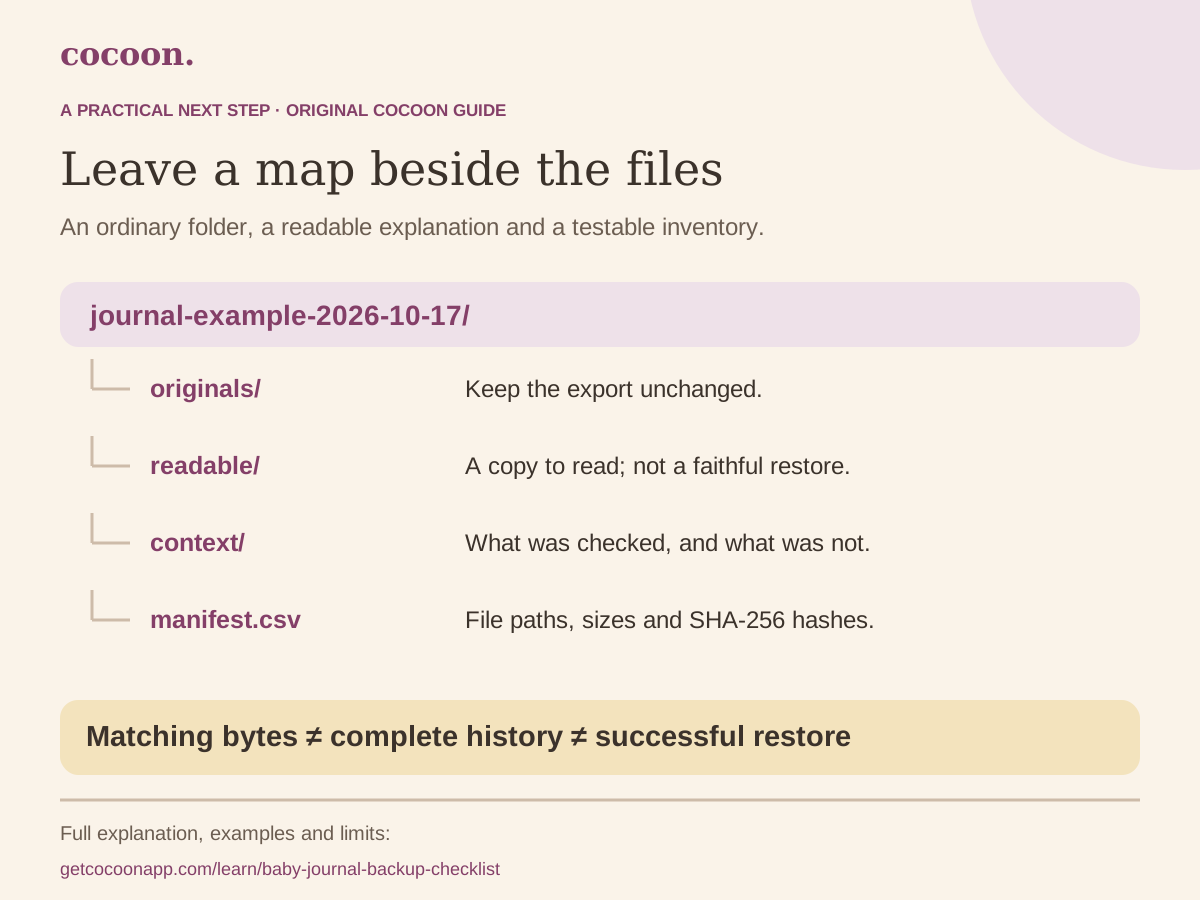
Record the export date, app, child or private identifier, file name, what you opened and any missing media. For example: “17 October: opened the JSON and found the expected written memory; no media in this demonstration file.” That is a check you performed, not a claim that everything is complete.
For your own archive, inspect a few old and new entries and the media you most care about. Keep the original unchanged and store edited or shareable copies separately. A proposed folder name such as journal-2026-10-17/originals is an organising suggestion; Cocoon does not automatically create that folder. The CSV row lab explains why a human-readable table and a restore file should remain distinct.