A private baby photo and video journal, beside the log
The tracker that also remembers. Photos, videos, voice notes and words, kept right beside the feeds and naps — and yours to take with you.
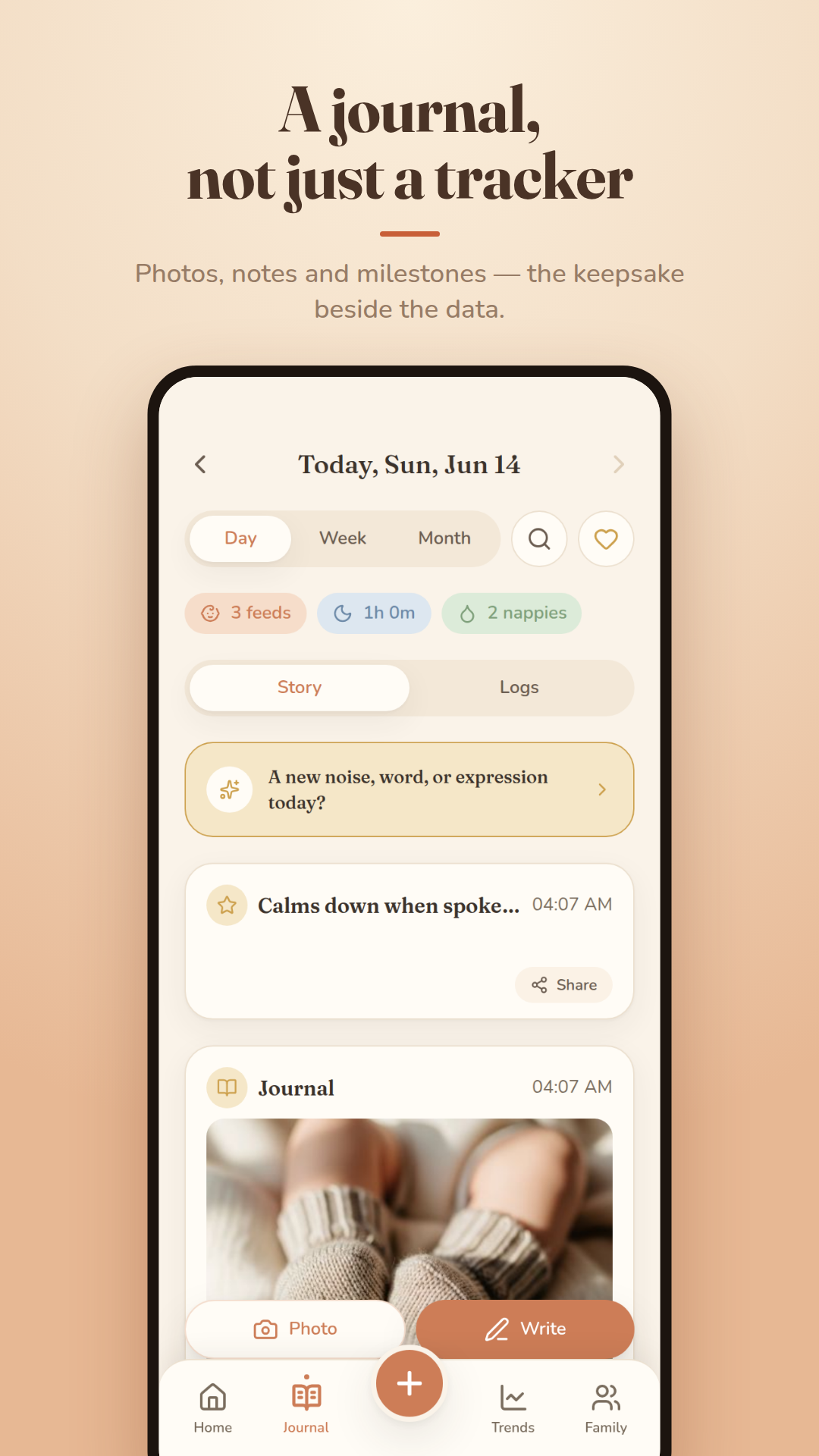
Cocoon's journal keeps photos, videos, voice notes and written moments beside the daily log. Each moment can carry a caption, tags, who was there, a mood and a place; days group into morning, afternoon, evening and night, with week and month views, daily prompts, “On this day” memories, a scrapbook and search. Everything exports with your data.
What it does
Capture a photo, a video or a few words — or record a voice note. Add a caption, tags, who was there, a mood and a place, and backdate it if you're catching up. Drafts save as you go.
The Day view groups moments into morning, afternoon, evening and night beside that day's feeds and sleep. Week shows a photo strip and totals; Month is a calendar with each day's best photo.
Memories come back to you: “On this day” from weeks, months and years ago, 20 gentle daily prompts, and a scrapbook keepsake wall. Search finds any moment by text, caption, tag, person or place, and a moment can be shared with its photo.
How it works
- Tap Journal on Home, or open the Journal tab.
- Choose Photo, Video or Write — or add a voice note.
- Add a caption, tags, people, mood or place.
- Browse by day, week or month, or search.
The details
- Photos, videos, voice notes and writing
- Any logged feed, nap or nappy can carry a photo or note
- Day, week and month views; fullscreen lightbox; collages
- “On this day”, 20 daily prompts, a scrapbook
- Search by text, tag, person or place
- Photos served through signed, time-limited links
- Import from Day One, Journey, Apple Journal or your camera roll
Common questions
Is Cocoon a baby tracker or a baby journal?
Both. The journal sits beside the log, so the photo from the morning lives next to that night's feeds — and both export together.
Can I import photos from my camera roll or another journal app?
Yes. Cocoon imports from your camera roll and from Day One, Journey and Apple Journal exports, with photos and videos where the export includes them.
Who can see my baby's photos?
Only you and the caregivers you invite to your family. Photos are private, served through signed links that expire, and never used for advertising.
Read more in the guides
Milestones: 0–3 months
In these first weeks your baby is learning to find your face, lift their head and share that first real smile — and there's a wide, healthy range for all of it.
Newborn essentials: what you actually need
An honest, clutter-free list of what a newborn really needs in the first weeks — and the popular buys you can skip or borrow.
Sharing the load with a partner/support
Caring for a newborn was never meant to be a solo job — sharing the load protects everyone's wellbeing, including the baby's.
Photo & video journal
Every feature is free right now — no ads, no subscription. Log feeds, sleep and nappies in seconds — and keep the memories too.
Goes well with
Family sharing & shift handoff
Everyone who cares for your baby, on the same page — literally. Invite once, choose what each person can do, and start every shift with a handoff.
How it worksMilestones & development
Milestones as ranges, not deadlines: the CDC checklist, a gentle “This week” card on Home, and every first saved to the journal.
How it worksPrivate, offline & yours to export
A baby app holds some of the most sensitive data there is. Cocoon treats it that way — and never holds your memories hostage.
How it works